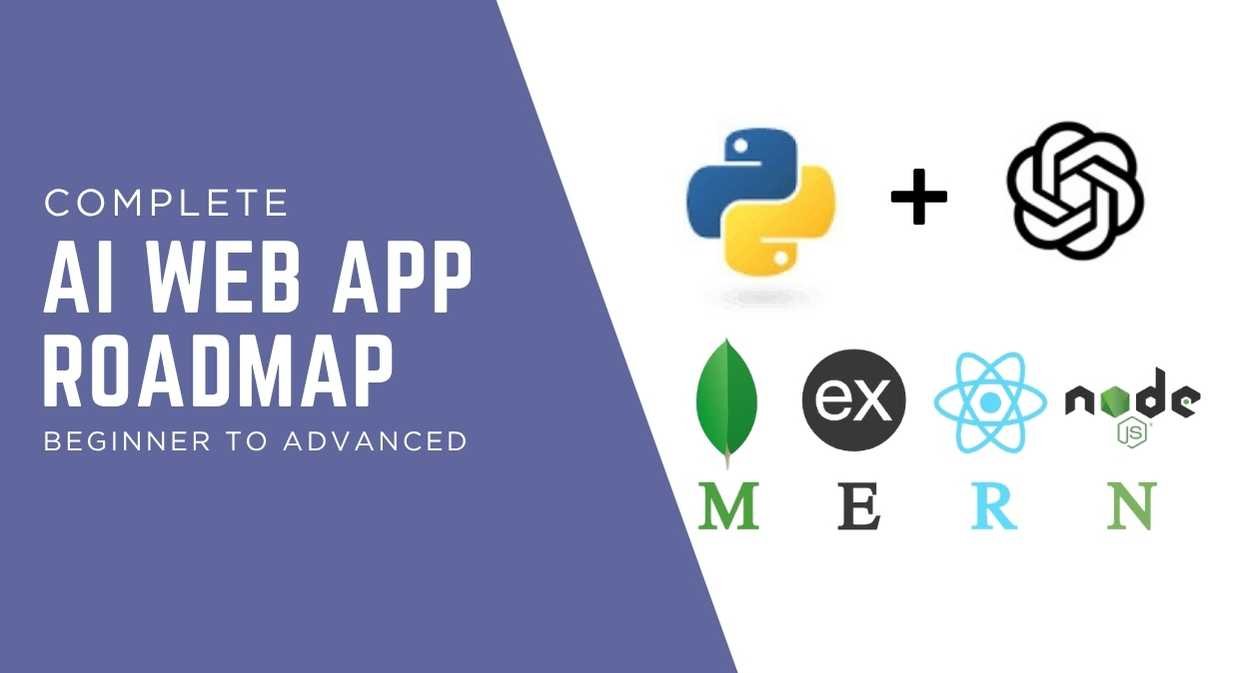
A complete AI Web App Roadmap for 2026. Learn step by step from beginner to advanced, including tools, skills, and real project ideas to build modern AI-powered web applications.
Web development Complete Roadmap
Why AI Web Apps Matter More in 2026?
AI is no longer a niche skill. You see it in search engines, chat tools, customer support systems, and content platforms. In 2026, AI-powered web applications will solve real problems more quickly and with fewer resources. They provide automation, insights, and user experience for businesses.
If you plan to build a digital product, you need to understand how AI fits into web development. This AI Web App Roadmap helps you move from basic knowledge to building full systems. It gives you a clear direction so you do not waste time jumping between random tutorials.
Understanding the Core of AI Web Apps
Before you start coding, you need a clear understanding of how an AI web app works. Every application in the AI Web App Roadmap for 2026 is built on three main layers: the AI model, the backend, and the frontend. Each layer plays a specific role, but all three must cooperate in a structured and smooth manner. If one part fails or is poorly designed, the entire system suffers.
The frontend is the part users see and interact with. Dashboards, input fields, forms, and buttons are all part of it. You use tools like HTML, CSS, and JavaScript frameworks to build it. The user experience is enhanced and users can interact with AI features without confusion with a frontend that is clear and responsive.
In the background, the backend works. It connects various system components, processes requests, and handles logic. The data entered by a user is sent to the backend by the frontend. The backend then decides what to do with that input. It may store data in a database, clean the input, or send it to an AI model for processing. This layer also manages security, authentication, and API calls.
The system’s brain is the AI model. It generates intelligent output from input data. Text generation, predictions, recommendations, and classifications are all examples of this. Instead of building models from scratch, most modern apps use pre-trained models through APIs.
In the AI Web App Roadmap for 2026, your goal is to understand how these three layers communicate. A system that feels quick, dependable, and useful is created when they are properly connected. Your AI web applications will be easier to design, debug, and scale if you have this understanding.
Learn Basic Web Development
Start with the basics. You need HTML, CSS, and JavaScript. These are the foundation of every web app. Focus on building simple pages and interactive elements.

After that, move to a frontend framework like React. React helps you manage complex user interfaces. It also prepares you for modern development workflows. Spend time building small projects such as forms, dashboards, and landing pages.
Master Backend Development
Next, you need to handle server-side logic. Learn Node.js and Express. These tools help you create APIs that connect your frontend with your AI features.

You should also learn how to work with databases. Start with MongoDB or PostgreSQL. Store user data, app data, and AI results. This step is important because most AI apps depend on structured data to function properly.
Learn Python for AI
Python is the main language used in AI. It has strong libraries and a large community. Start with basic Python syntax and then move to libraries like NumPy and Pandas.
After that, learn machine learning basics using tools like Scikit-learn. This step helps you understand how models work. Even if you plan to use pre-built AI APIs, this knowledge gives you control and clarity.
Understand AI Models and APIs
Models can be trained without starting from scratch. Ready-to-use AI APIs are provided by many platforms. These APIs handle tasks like text generation, image creation, and speech recognition.
In this AI Web App Roadmap, you should focus on learning how to integrate these APIs into your backend. Process the API response and display it on the frontend after sending user input. You can quickly create powerful applications with this skill alone.
Build Your First AI Feature
Begin small. Build a simple AI-powered feature. For example, create a text summarizer or a chatbot. You will gain a better understanding of real-world issues like handling responses and errors as a result of this step. Use your frontend to collect input. Send it to your backend.
Then call an AI API and return the result. The majority of AI web apps are based on this flow. Practice this process multiple times.
Improve User Experience with AI
AI is not only about features. It also improves user experience. You can add smart search, personalized content, or recommendation systems.

Focus on how users interact with your app. Make the interface simple and fast. Use loading states and clear feedback. A good user experience increases engagement and keeps users coming back.
Learn Prompt Engineering
Prompt engineering is a key skill in 2026. It means writing clear instructions for AI models. The quality of your output depends on how well you design your prompts.
Practice writing different prompts for the same task. Test how small changes affect results. This step raises the quality of your app and gives you more control over AI responses.
Work with Real Data
Real apps need real data. Learn how to collect, clean, and manage data. Use APIs, user input, or datasets.
Data quality affects AI performance. If your data is messy, your results will be poor. Spend time organizing your data. Use validation and filtering to improve accuracy.
Add Authentication and Security
Security is important for any web app. Add user authentication using tools like JWT or OAuth. Protect user data and API keys.

Do not expose your AI API keys on the frontend. Always store them on the backend. This step protects your app from misuse and keeps your system safe.
Deploy Your AI Web App
Once your app is ready, you need to deploy it. Use platforms like Vercel, Netlify, or AWS. These services help you host your frontend and backend.

Test your app in a live environment. Fix any bugs and improve performance. Deployment is not the final step. It is part of the ongoing process of building and improving your app.
Optimize Performance
When there are a lot of requests or a lot of them, AI features often take longer to respond. You should limit API calls and avoid sending the same request multiple times. Batch requests when possible and only fetch data when needed.
Use caching to store repeated results, especially for common queries. This speeds up response times and reduces server load. Cached data can be effectively managed with the aid of tools like Redis. Monitor performance using logs and analytics tools. Monitor user behavior, error rates, and response times. To keep your app fast and stable, adjust your logic, optimize queries, and fine-tune API usage when you notice delays or failures.
Scale Your Application
As your app grows, you need to handle more users and data. Learn about scaling techniques such as load balancing and microservices.
Use cloud services to manage resources. This step ensures your app stays fast and reliable even with high traffic. Scaling is a key part of this AI Web App Roadmap.
Build Advanced AI Features
Now move to advanced features. Build systems like recommendation engines, voice assistants, or image analysis tools.
These features require deeper understanding of AI models and data handling. Take your time and build step by step. Focus on solving real problems rather than adding random features.
Create Full AI Products
You are prepared to construct complete products at this point. Think about solving a specific problem. Build a content writing tool, a learning assistant, or a dashboard for business analytics, for instance. Carefully plan your features. Create a simple user interface. Test your product with real users. Your abilities become truly valuable in this stage.
Common Mistakes to Avoid
Numerous novices attempt to learn everything at once. This leads to confusion and slow progress. Follow a structured path instead.
Another mistake is ignoring user experience. Even if your AI is strong, poor design will drive users away. Focus on both functionality and usability.
Tools You Should Learn in 2026
You need the right tools to move fast. Focus on React for frontend and Node.js for backend. Learn Python for AI tasks.
Also explore AI platforms and APIs. Use Git for version control. Learn Docker for deployment. These tools support your journey in this AI Web App Roadmap.
Real Project Ideas to Practice
Practice is the best way to learn. Build a chatbot for customer support. Create a resume analyzer. Develop a generator of content. You can also build a recommendation system for blogs or products. Each project teaches new skills and prepares you for real-world work.
Your Next Steps
Take each step one at a time. Do not rush. Build small projects and improve them.
Follow this AI Web App Roadmap step by step. Monitor your progress. Stay consistent. Over time, you will move from beginner to advanced and build real AI-powered web applications.