
MongoDB Collection and Document
If you work with modern databases, you will deal with flexible data structures. One of the most important concepts is the mongodb collection and document model. This model is different from traditional table-based systems. It focuses on storing data in a way that matches real-world objects.
You Should Check this MongoDB tutorial For Queries
MongoDB stores data in documents, and these documents are grouped into collections. You do not need fixed columns or strict schemas. This gives you more control when your data changes over time.
This guide explains everything you need. You will learn structure, examples, queries, and best practices. By the end, you will understand how to design and use mongodb collection and document in real projects.

What is a MongoDB Document?
A document is the basic unit of data in MongoDB. It stores information in key-value pairs. The format looks similar to JSON.
Here is a simple example:
{
  "name": "Ali",
  "age": 25,
  "email": "ali@example.com"
}Each field has a key and a value. The value can be a string, number, array, or even another document.
Key Points
- Documents are flexible
- Fields can change from one document to another
- Data is stored in BSON format internally
You can think of a document as a single record. But unlike SQL rows, it can store complex data inside it.
What is a MongoDB Collection?
A collection is a group of documents. It is similar to a table in relational databases.
For example, you can have a collection named users. Inside this collection, each document represents one user.
Example:
{ "name": "Ali", "age": 25 }
{ "name": "Sara", "age": 30 }Key Points
- Collections do not enforce strict schema
- Documents inside a collection can have different fields
- Collections are created automatically when you insert data
This flexibility makes mongodb collection and document suitable for fast development.
BSON vs JSON in MongoDB
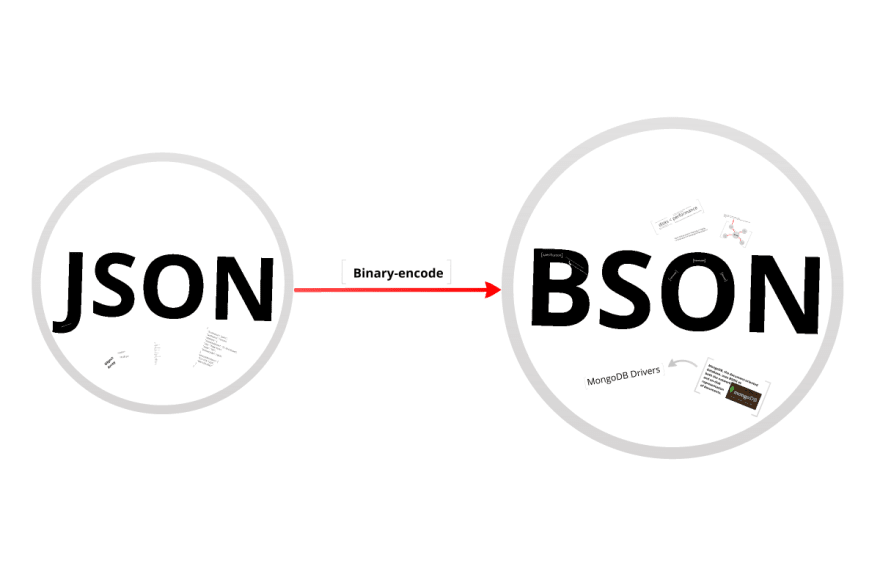
MongoDB uses BSON to store data. BSON stands for Binary JSON.
Why BSON
- Supports more data types than JSON
- Faster to read and write
- Efficient for storage
Example of extra types:
- Date
- ObjectId
- Binary data
Even though MongoDB uses BSON internally, you interact with it using JSON-like syntax.
Structure of a MongoDB Document
Documents can be simple or complex. You can store nested data easily.
Example with Nested Structure
{
  "name": "Ahmad",
  "age": 28,
  "address": {
    "city": "New York",
    "zip": "82000"
  },
  "skills": ["JavaScript", "MongoDB", "Node.js"]
}What this shows
- Nested object inside
address - Array inside
skills
This is one reason developers prefer mongodb collection and document over rigid tables.
Nested Documents and Arrays
Nested data helps you store related information in one place.
Example
{
  "order_id": 101,
  "customer": {
    "name": "Ali",
    "email": "ali@example.com"
  },
  "items": [
    { "product": "Laptop", "price": 1000 },
    { "product": "Mouse", "price": 20 }
  ]
}Benefits
- Fewer joins
- Faster reads
- Cleaner structure
You should use nesting when data belongs together.
Dynamic Schema in MongoDB
MongoDB does not force a fixed schema. This means documents in the same collection can differ.
Example
{ "name": "Ali", "age": 25 }
{ "name": "Sara", "email": "sara@example.com" }Why this matters
- Easy to update structure
- Faster development
- Good for evolving apps
But you still need planning. Too much variation leads to confusion.
How MongoDB Stores Data?
MongoDB stores documents in collections on disk. It uses BSON format for efficiency.
Each document has a unique _id field.
Example:
{
  "_id": "64f1a2c...",
  "name": "Ali"
}Important Points
_idis required- MongoDB generates it if you do not provide one
- It helps in indexing and fast lookup
Embedding vs Referencing
When designing mongodb collection and document, you choose between embedding and referencing.
Embedding
Store related data inside one document.
{
  "user": "Ali",
  "orders": [
    { "item": "Book", "price": 10 }
  ]
}Referencing
Store data in separate collections and link using IDs.
{
  "user_id": "123",
  "order_id": "456"
}When to Use
- Use embedding for small related data
- Use referencing for large or shared data
CRUD Operations in MongoDB
CRUD stands for Create, Read, Update, Delete.
Insert Document
db.users.insertOne({
  name: "Ali",
  age: 25
});Find Documents
db.users.find({ age: 25 });Update Document
db.users.updateOne(
  { name: "Ali" },
  { $set: { age: 26 } }
);Delete Document
db.users.deleteOne({ name: "Ali" });These operations are core to working with mongodb collection and document.
Indexing in MongoDB Collections
Indexes improve query speed.
Example
db.users.createIndex({ name: 1 });Benefits
- Faster search
- Efficient sorting
- Better performance
Without indexes, MongoDB scans every document.
Document Size and Performance
MongoDB limits document size to 16MB.
Best Practices
- Keep documents small
- Avoid deep nesting
- Use references for large data
This improves speed and memory usage.
Query Optimization
Query optimization in MongoDB focuses on improving how fast data is retrieved from a collection. You should use indexes on frequently searched fields to avoid full collection scans. Limit returned fields using projection to reduce data load. Structure queries to match indexed fields and avoid complex conditions when possible. Use .explain() to analyze query performance and identify slow operations. Pagination with limit and skip also helps manage large datasets. A well-optimized mongodb collection and document setup reduces response time and improves overall application performance.
Tips
- Use indexes
- Limit fields with projection
- Avoid unnecessary data fetch
Example with Projection
db.users.find({}, { name: 1, age: 1 });This returns only selected fields.
Pagination in MongoDB
Pagination helps handle large datasets.
Example
db.users.find().skip(10).limit(5);What it does
- Skips first 10 documents
- Returns next 5
Use this in APIs to improve response time.
Aggregation Framework Basics
Aggregation processes data and returns computed results.
Example
db.orders.aggregate([
  { $match: { status: "completed" } },
  { $group: { _id: "$customer", total: { $sum: "$amount" } } }
]);Use Cases
- Reports
- Analytics
- Data transformation
Schema Validation in MongoDB
You can enforce rules even with flexible schema.
Example
db.createCollection("users", {
  validator: {
    $jsonSchema: {
      bsonType: "object",
      required: ["name", "email"],
      properties: {
        name: { bsonType: "string" },
        email: { bsonType: "string" }
      }
    }
  }
});This ensures consistent data structure.
Practical Example: User Collection
Here is a simple real-world design.
{
  "_id": "1",
  "name": "Ahmad",
  "email": "ahmad@example.com",
  "role": "admin",
  "created_at": "2000-04-16"
}Why this works
- Clear structure
- Easy to query
- Scales well
Practical Example: Blog System
Post Document
{
  "title": "MongoDB Guide",
  "content": "Learn MongoDB...",
  "author": "Ahmad",
  "comments": [
    {
      "user": "Ali",
      "text": "Great post"
    }
  ]
}This shows how mongodb collection and document fits content systems.
MongoDB vs SQL Structure
MongoDB
- Uses documents and collections
- Flexible schema
- Nested data support
SQL
- Uses tables and rows
- Fixed schema
- Requires joins
MongoDB works better when your data changes often.
Best Practices for MongoDB Collection and Document
Keep Queries Simple
Write clear and simple queries when working with a mongodb collection and document. Focus on specific conditions and avoid unnecessary filters. Complex queries increase processing time and reduce efficiency. Use indexed fields to improve speed. Break large queries into smaller steps if needed. This approach keeps database operations fast and predictable.
Use Indexes
Use indexes to improve query speed in a mongodb collection and document. Indexes allow MongoDB to locate data without scanning every document. Create indexes on fields used in filters, sorting, and lookups. Avoid too many indexes because they increase storage and slow down writes. Review query patterns and add indexes where they provide clear performance gains.
Avoid Unnecessary Data
Avoid fetching extra fields in a mongodb collection and document. Use projection to return only required data. Large responses increase memory usage and slow down queries. Keep documents focused and remove unused fields. This improves read speed and reduces network load, especially in applications handling large datasets or frequent requests.
Plan Schema Early
Plan your mongodb collection and document structure before building the application. Decide which fields to embed and which to reference. A clear schema reduces confusion and prevents costly changes later. Consistent structure improves query performance and makes your database easier to maintain as your data grows over time.
Monitor Performance
Monitor performance regularly in a mongodb collection and document setup. Use tools like .explain() and database metrics to identify slow queries. Track response times and resource usage. Fix inefficient queries and update indexes when needed. Continuous monitoring helps maintain stable performance as your application scales.
Common Mistakes
Wrong Field Names
Wrong field names create inconsistent data in a mongodb collection and document. Small spelling differences lead to separate fields, which breaks queries and indexing. Always use a consistent naming pattern across all documents. Validate input before saving data to prevent errors and keep your database structure clean and reliable.
Incorrect Data Types
Incorrect data types affect query accuracy and performance in a mongodb collection and document. For example, storing numbers as strings breaks sorting and comparison operations. Always store values using the correct type such as number, string, or date. Consistent types ensure reliable results and better index usage.
Misusing Operators
Misusing operators leads to incorrect results in a mongodb collection and document. Using the wrong query operator can return unexpected data or no data at all. Understand how operators like $gt, $lt, and $in work before applying them. Test queries carefully to ensure accurate filtering and efficient execution.
What a MongoDB Query Does
A query searches documents in a collection based on conditions.
Example
db.users.find({ age: { $gt: 20 } });Result
Returns users older than 20.
Queries help you filter, sort, and analyze data.
Final Thoughts
The mongodb collection and document model gives you flexibility and speed. You store data in a way that matches real use cases. This reduces complexity and improves performance.
Focus on clear structure, efficient queries, and proper indexing. With these steps, you build systems that scale without issues.